Knit what fits.
A knitting pattern worked out for your body and your yarn.
Enter your measurements and your gauge. Rowwise calculates the whole garment, checks every row, and shows it as a schematic, as a 3D model and as a row by row knit mode. No size tables, no guesswork.
Free today. Sign in with Google or your email, and your projects follow you to every device.
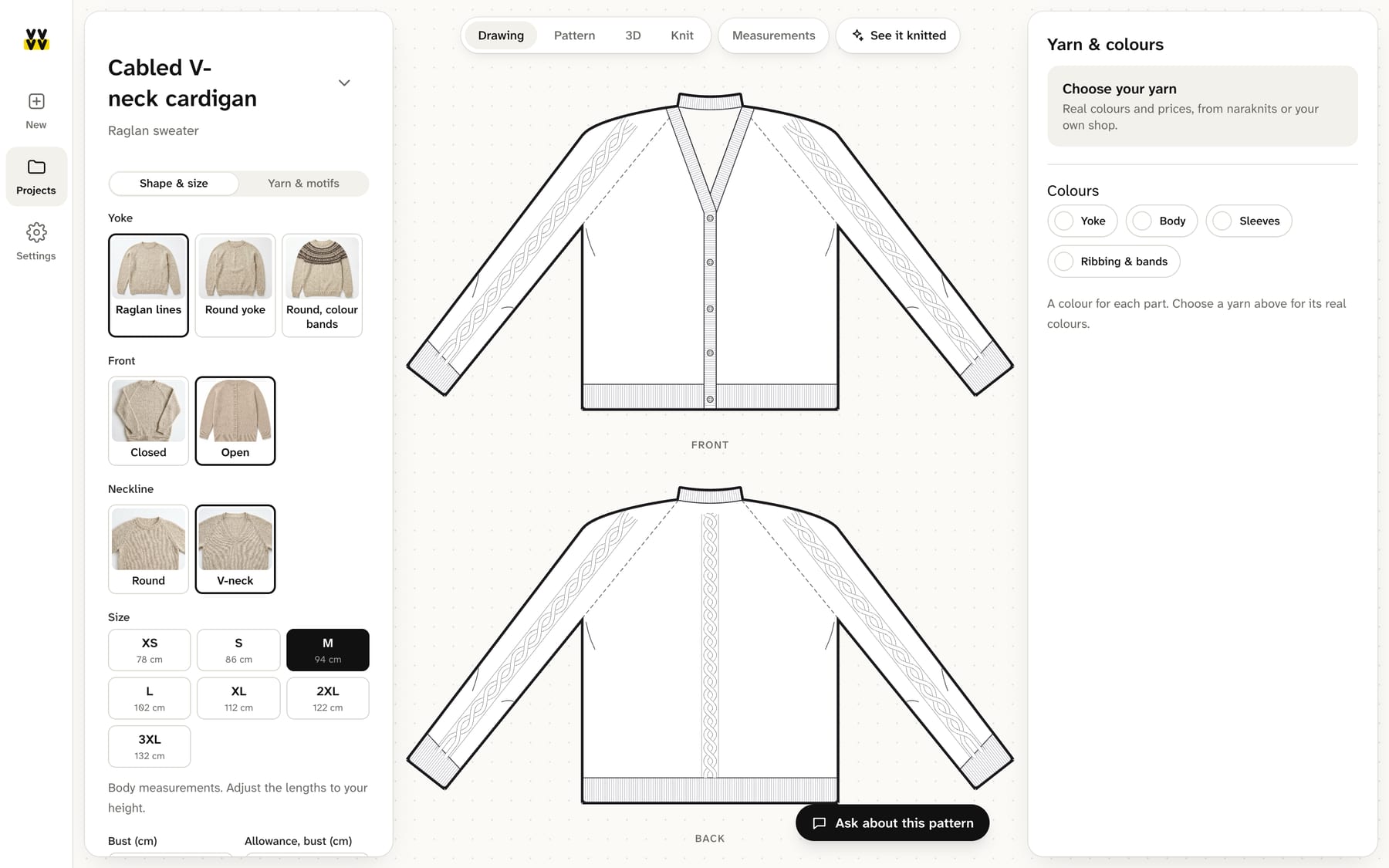
Calculated, not guessed
Every number comes from your measurements.
A printed pattern is written for one gauge and five or six sizes. Rowwise is written for you: your swatch sets the stitch counts, your measurements set the shape, and the engine recomputes every increase, decrease and row before you see it.
Your gauge, not the designer’s
Knit a swatch, type the stitches and rows per 10 cm, confirm it. From then on every count is yours. Change the yarn and the pattern recalculates.
Checked before it is shown
Fifty checks run on each pattern: the stitch counts add up, the pieces meet at the seams, the neck fits over a head, the sleeve matches the armhole. If something cannot be knitted, you are told, not surprised.
Seen before it is knitted
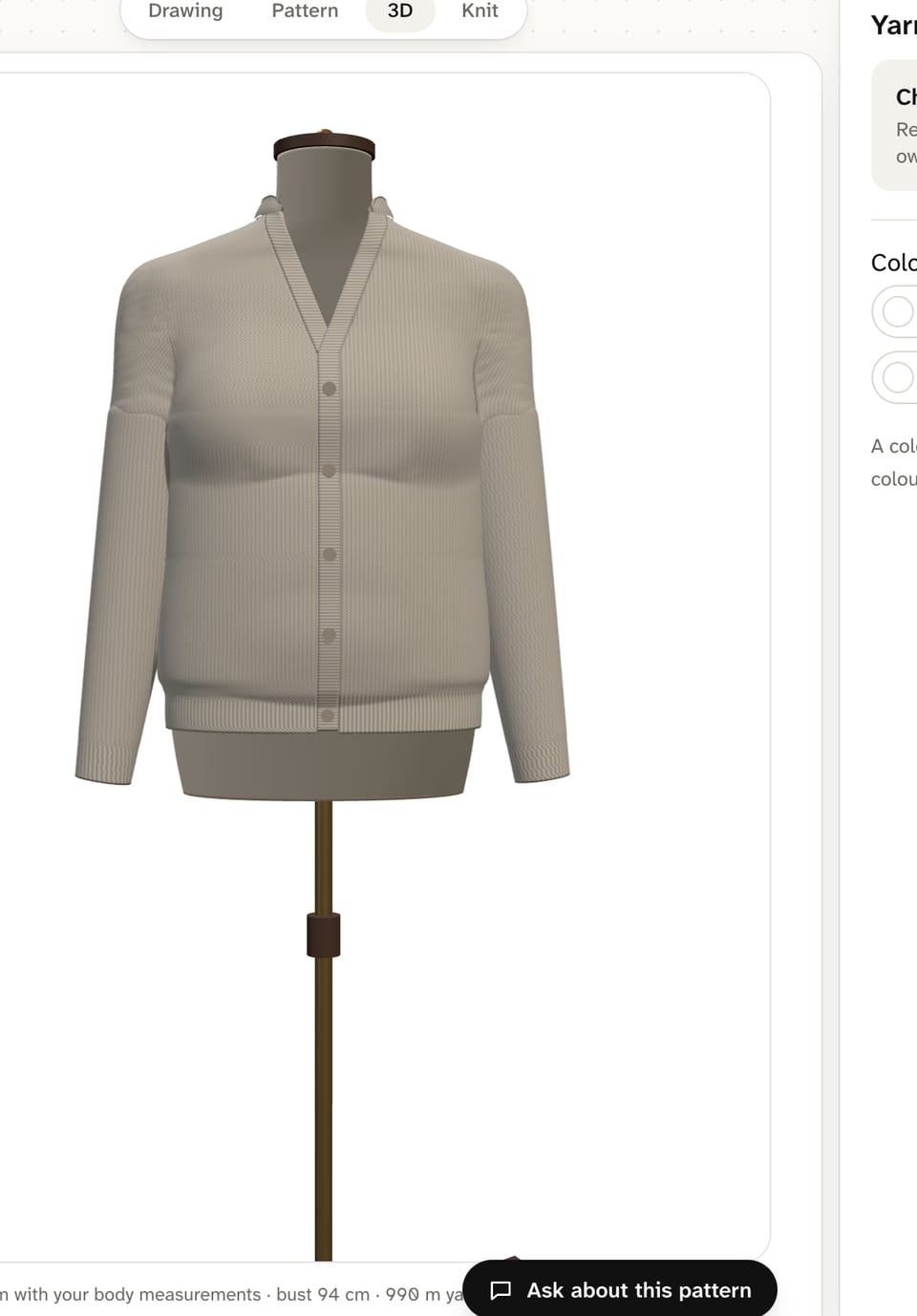
A schematic with every measurement written on it, and a 3D model on a mannequin with your measurements, so you see the fit before the first row.
How it works
From a sentence to the last row.
Say what you want to make
Start from a ready project or tell the assistant in a sentence: a V-neck cardigan in size M, a cabled beanie for a 56 cm head. It sets up the pattern; the engine does the maths.
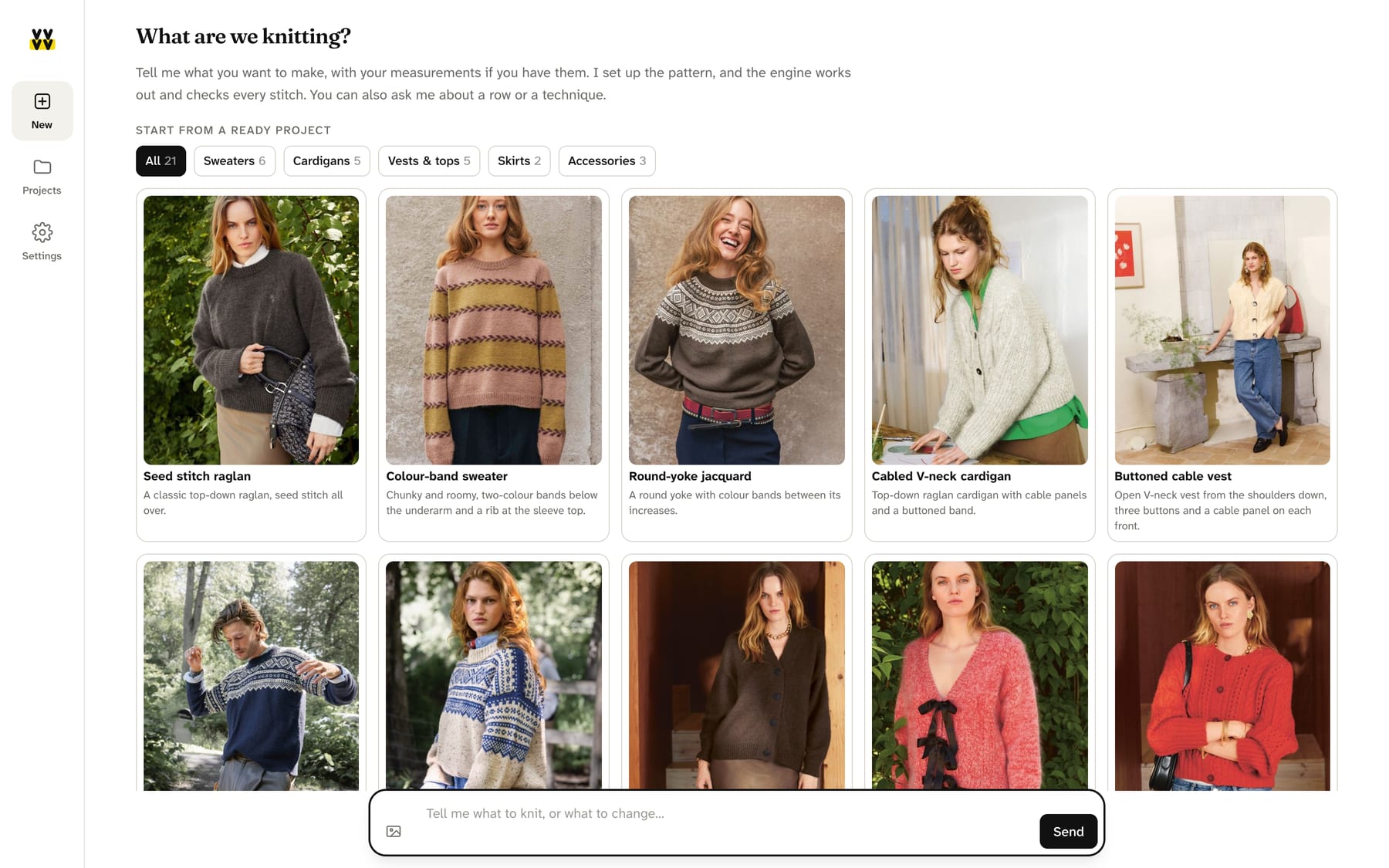
Put in your measurements and your swatch
Pick a size from XS to 3XL as a starting point, then adjust: bust, upper arm, neck, body length, sleeve length, and the allowance you like. Type the gauge from your swatch and confirm it.
Read the pattern, see it in 3D
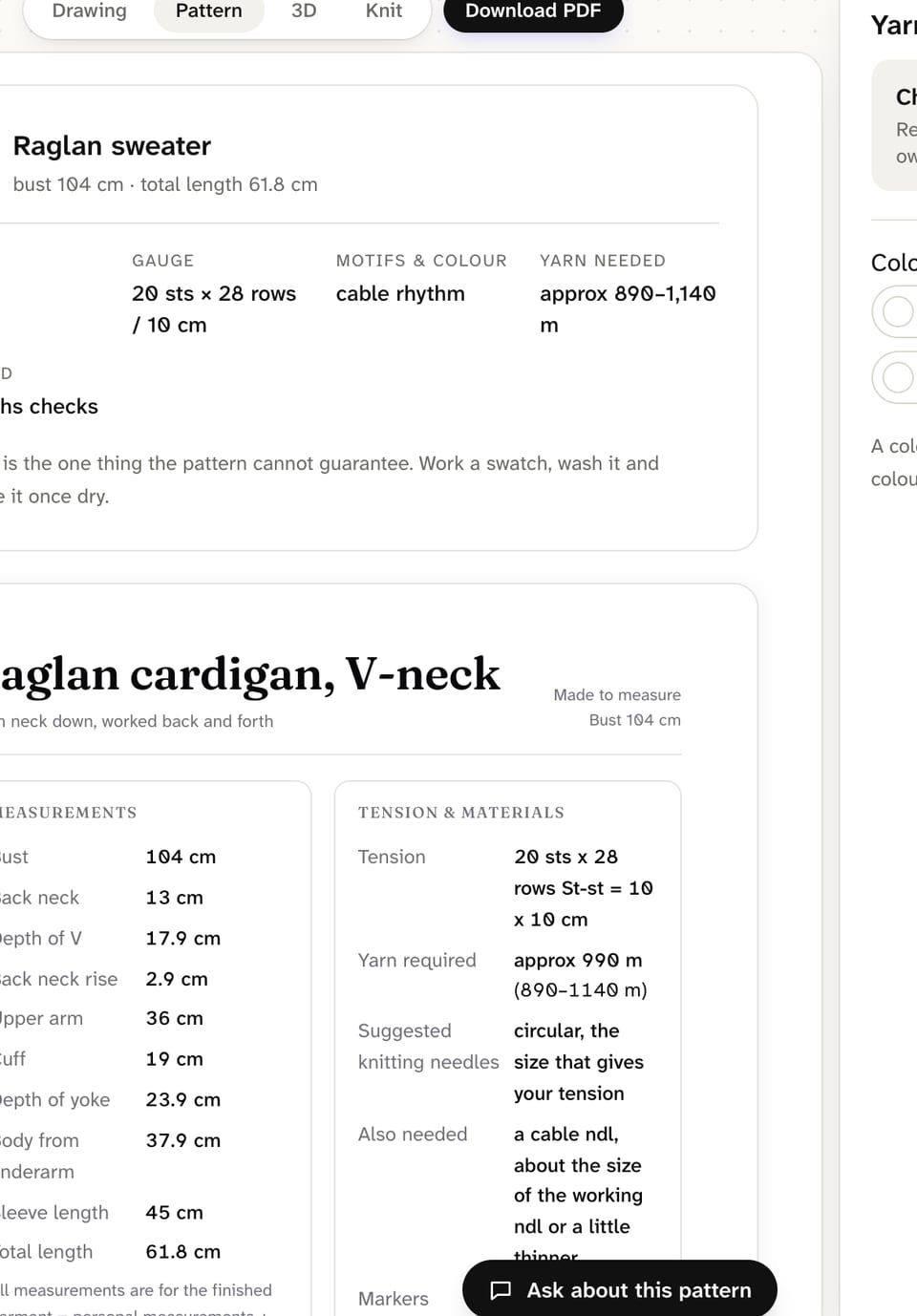
The pattern page has the measurements table, the yarn estimate, and the instructions section by section, with charts where there are cables or motifs. Download it as a PDF. The 3D view puts the garment on a mannequin with your measurements.
Knit it, row by row
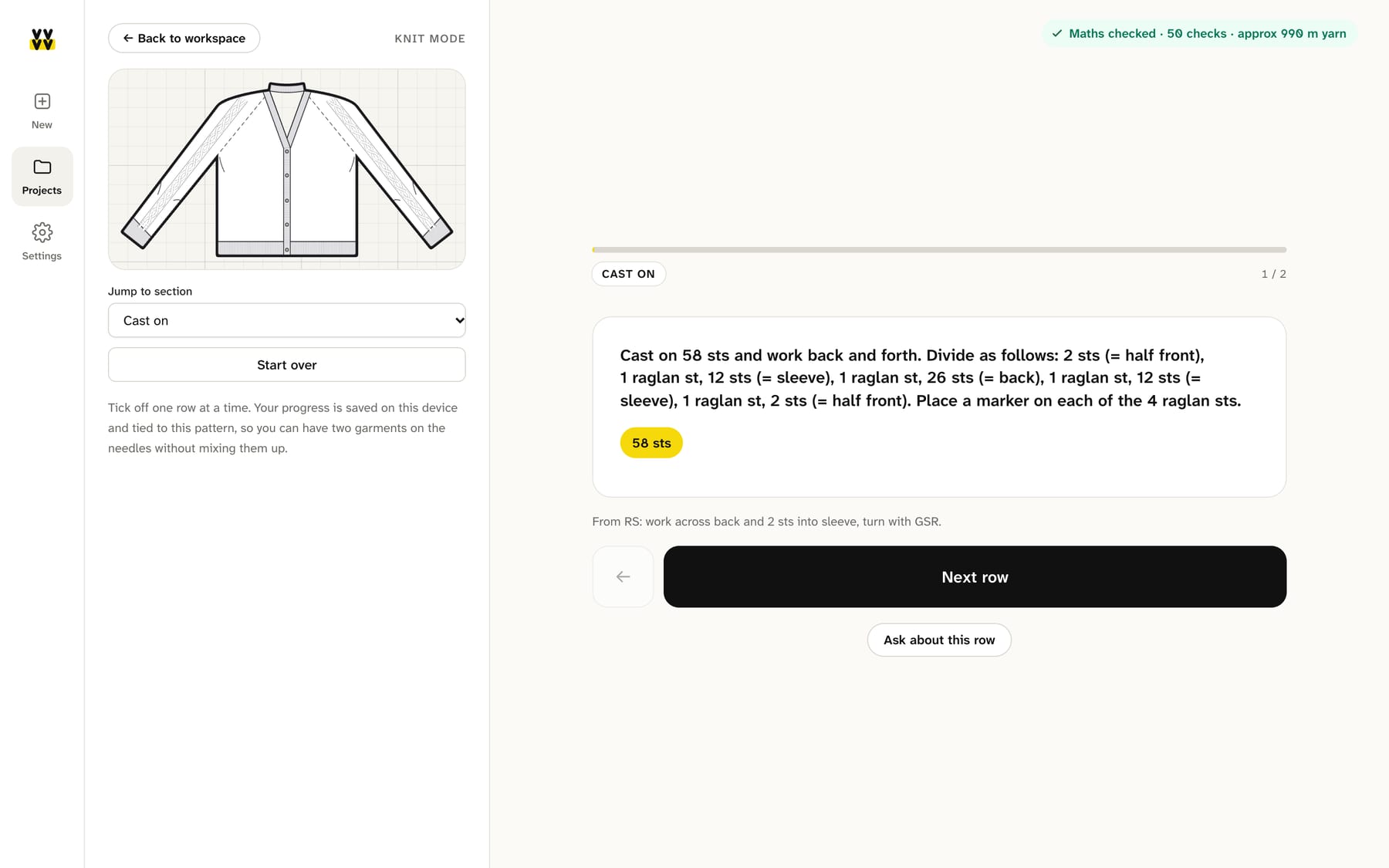
Knit mode shows the row you are on, what to do and how many stitches you should have. The drawing fills in as you go. Ask about the row if something is unclear.
What you can make
Garments, not just swatches.
Each family is a construction the engine knows how to calculate and check, with the options a real pattern gives you.
Sweaters
Top-down raglan or shoulder-up, round or V neck, with colour bands, a round yoke, cables or a plain body.
Cardigans and vests
Bottom-up cardigans with a V that opens where it should, buttoned vests, cable panels on the fronts, folded or standing collars.
Tops and skirts
Strap tops with negative ease that actually hold, elastic tops, skirts with gores or gathers.
Beanies and accessories
Beanies with a folded brim, cables that run to the crown, scarves and kerchiefs with a motif over the whole piece.
Double knit jackets
Two layers, two colours, a pocket that works, and an i-cord edge, all counted.
Cables and motifs
A studio for cable panels and charted motifs: draw them, place them on the body or the sleeves, and the counts follow.
Your yarn
Real yarn, real colours, real metres.
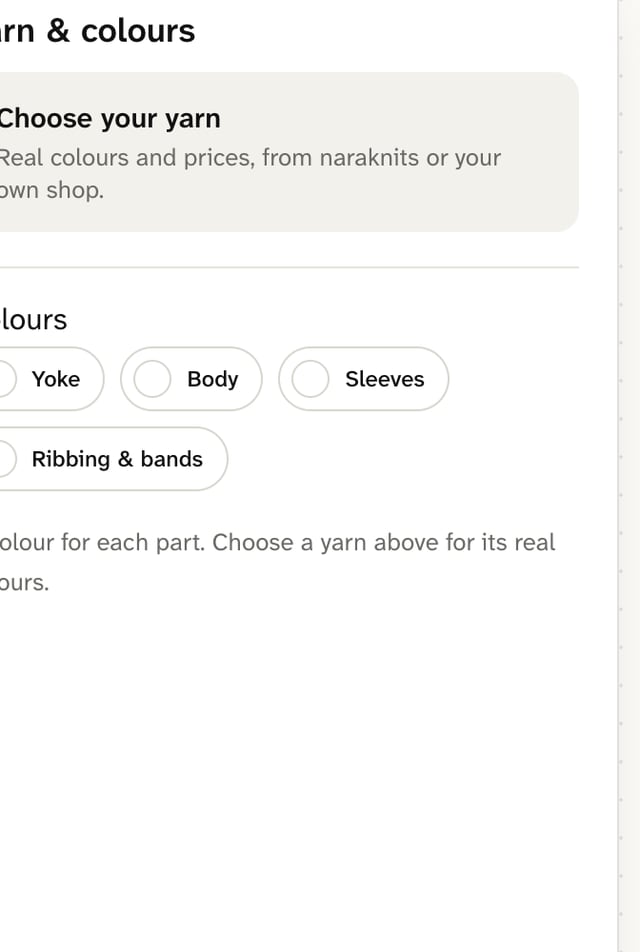
Choose a yarn with its colours and ball sizes, and the pattern tells you how many balls you need for your size, not for a size chart. Colour the body, the sleeves and the bands separately and see it on the drawing.
Knit mode
On the sofa, with the needles in your hands.
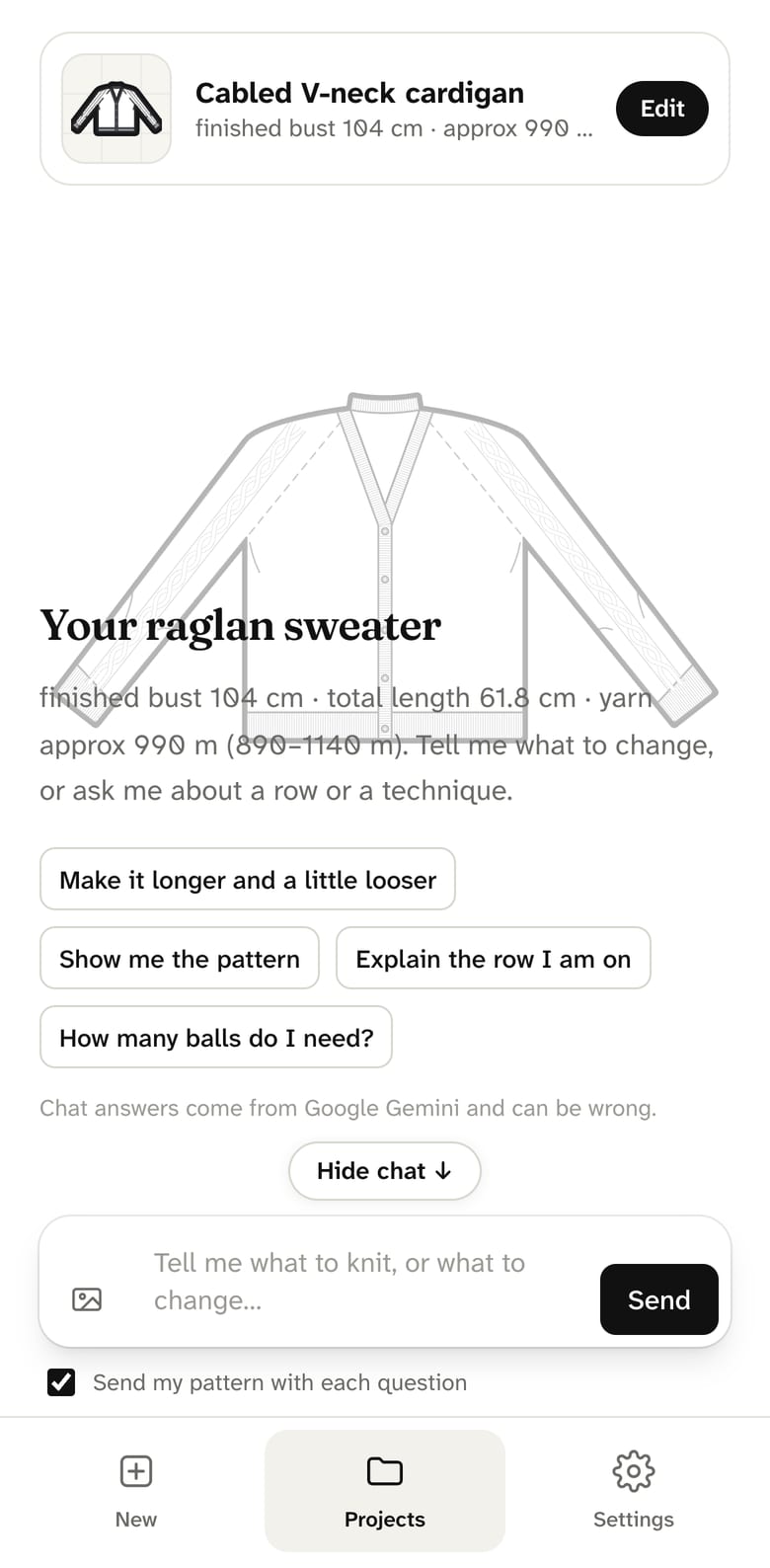
Open the project on your phone. Knit mode shows one row at a time, the stitch count you should end with, and the drawing filling in as you go. Tap Next row. If a row is unclear, ask about it and get the explanation for that row, not a generic one.
Your projects live in your account, so the pattern you started on the laptop is on your phone too.
About the assistant
The assistant understands what you ask for, in plain words or from a photo, and sets the pattern up. The maths is never improvised: every number comes from the engine, and every pattern passes the same checks, whether you typed the options or asked for them.
Chat answers come from a language model and can be wrong about technique. The pattern itself cannot: it is calculated, not written.
Questions
- Is this an AI-generated pattern?
- No. The pattern is calculated by rules from your measurements and your gauge, and checked before it is shown. An assistant helps you set the options and answers questions; it does not invent the numbers.
- Which sizes does it cover?
- Any. Start from XS to 3XL (78 to 132 cm bust) or type your own measurements. The pattern is recomputed for them, including the allowance you prefer.
- Can I use my own yarn?
- Yes. Knit a swatch, enter the stitches and rows per 10 cm, confirm it. Yarns from the shop also bring their colours and ball sizes, so the estimate is in balls, not only metres.
- Can I print it?
- Yes. Every pattern downloads as a PDF with the measurements table, the instructions, the charts and the row map.
- Where are my projects and measurements?
- In your account, stored in the EU and synced to every device where you sign in. You can delete your account and everything in it yourself, in Settings.
- What does it cost?
- Nothing today. Plans will come with the features that cost us to run; what you can do now stays usable.
Knit what fits.
Pick a project or describe one. In a minute you have a schematic with your measurements on it.